JavaScript Modules: Import and Export Explained

In this article we are gonna study a very important concept in modern JavaScript called Modules. Now initially this may feel like a very small topic because import and export syntax itself looks extremely simple. But modules honestly changed how large JavaScript applications were structured and managed.
Because as applications started becoming larger, keeping everything inside one single JavaScript file slowly started becoming a nightmare.
The Problem
Now suppose we are building a small application. Initially everything may exist inside one file:
function add(a, b) {
    return a + b;
}

function subtract(a, b) {
    return a - b;
}

function multiply(a, b) {
    return a * b;
}

console.log(add(2, 3));
Now for small projects this honestly works perfectly fine. But imagine applications with:
Authentication
API Calls
UI Logic
Database Logic
Payment Handling
State Management
Keeping everything inside one giant file quickly becomes extremely difficult to manage. And another issue starts appearing:
Code duplication
Difficult debugging
Variable/function conflicts
Poor maintainability
Which is exactly where modules become useful.
What are Modules?
Now the basic idea of modules is honestly very simple. Instead of writing everything inside one file:
"Break code into smaller reusable files."
For example:
math.js
auth.js
api.js
main.js
Now each file handles its own responsibility.
Which makes applications:
Cleaner
Easier to debug
Easier to scale
Easier to maintain
And this is one of the biggest reasons modular programming became so important.
Exporting values/functions
Now if files are separated, another question appears instantly:
"How do files share code with each other?"
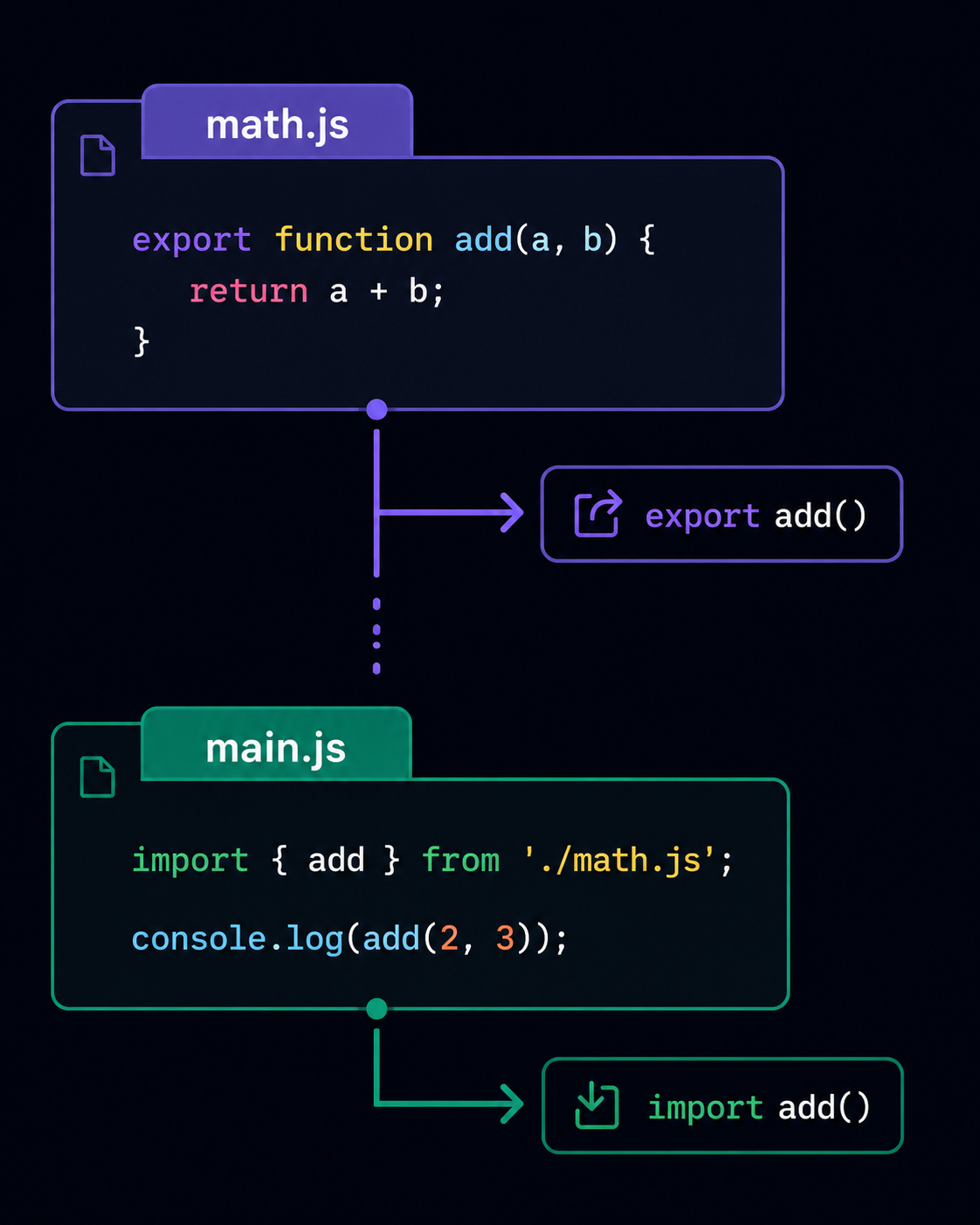
And that is where export comes in. Suppose inside: math.js, we have:
export function add(a, b) {
    return a + b;
}
Now this function becomes available to other files. We can also export variables.
export const PI = 3.14;
Or multiple things together.
export const name = "Spiderman";

export function greet() {
    console.log("Hello");
}
These exported things can be used by other modules.
Importing Modules
Now once something is exported, another file can import it. For example:
import { add } from "./math.js";

console.log(add(2, 3));
Here React/Node/browser basically imports the add function from another file. Which means instead of rewriting logic repeatedly, we can simply reuse modules. And honestly this becomes extremely powerful in large applications.
Visualizing Module Flow
Named Exports
Now one common way of exporting things is called: "Named Exports". For example:
export const name = "Peter";

export function greet() {
    console.log("Hello");
}
Now while importing:
import { name, greet } from "./file.js";
we must use the exact exported names. Which means: name must remain name and greet must remain greet. This approach becomes useful when one file exports multiple things.
Default Exports
Now JavaScript also provides something called:
"Default Export"
For example:
export default function greet() {
    console.log("Hello");
}
Now importing becomes slightly different:
import greet from "./file.js";
And here something interesting happens. We can rename it while importing.
import myFunction from "./file.js";
because default exports do not depend upon exact names like named exports do. The easiest way to think about it is:
Named exports → exact names required
Default export → any name can be used during import
Benefits of Modular Code
Now modules do not just make code look cleaner. They solve multiple real world problems together. For example:
Better code organization
Easier maintenance
Reusability
Reduced duplication
Easier debugging
Better scalability
Imagine editing a huge 10,000 line JavaScript file versus editing small focused files. The second approach is obviously much more manageable. And honestly modular programming became one of the biggest reasons large frontend/backend applications became easier to structure properly.
Conclusion
With this we now understand why JavaScript modules were introduced and what problems they solve in large applications. We saw how export allows files to share functions/values, how import brings them into other files, and the difference between named exports and default exports. Although the syntax itself may initially look very small/simple, modules completely changed how modern JavaScript applications are organized and maintained.
I hope you enjoyed it!
Thank You.


