Getting Started with cURL

What is cURL?
cURL is a command-line tool used to transfer data between a system and a server using different network protocols. It has many use cases such as testing APIs, fetching content from a server and sending data over the network.
Now why cURL not any other tool? well because it has many advantages. Firstly it is the industry standard in the form of libcurl with over twenty billion installations. It is free and open source. It also supports many different protocols and proxies.
Now we used 2 terms above, let’s understand those:
System: A system is basically your computer or any other device that can run programs and it can do both send and receive data over the network.
Server: A server is a system with a special job which is to provide data or services to other systems over the internet.
with that cleared now let’s understand why is a tool like cURL needed.
Why Programmers need cURL?
cURL provides us a way to talk directly to the server without browser as the middle man. Now when would that be needed, following are some of the huge number of usecases when this would be needed:
You can test any API easily without writing code.
A way to send messages to the server from the terminal.
See what is actually happening over the network such as headers, status codes and more which are often hidden by the browser.
Debugging backend issues, Now this is a major reason and most probable reasons why someone would end up using cURL.
and much more! but you get the point it is worth while learning cURL. Now let’s start learning and applying cURL.
Making your first request using cURL
Now cURL has a very pragmatic and easy to understand commands, let’s start with writing our first command. So spin up your terminals and type the following in them:
curl example.com
yes! that’s it. This command would return the HTML of the page hosted on example.com. That was pretty easy right? Well most of the commands of cURL are alike. So let’s run another one,
curl [website-link]
Here instead of [website-link] enter the link of any website of your choice and press enter, you would get the HTML of that page. Now it could be that the HTML is very long or complicated but cURL would still bring it. Now after that it is up to us what we do with it.
Understanding request and response
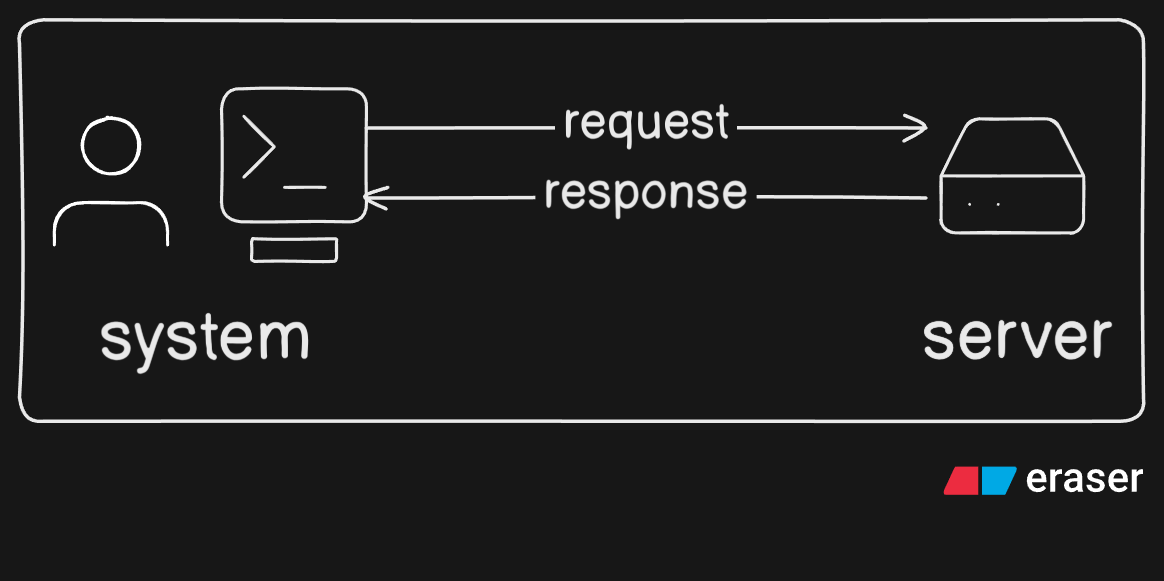
When we ran these commands what happened in the background can be boiled down to 2 things:
Request
A request at a high level can be understand as a command instructing the server to do something. Like when we ran our curl commands we gave it a request URL which was fetched and the HTML was displayed. We could have also specified the request method or the request header.
Response
A response is the answer a server gives to the system following the request/command the system gave. It usually contains 2 things: the status code and the data. Status code tells us what happened with the request, and the data is what the system request for.
The whole flow could be understand as follows:
Using cURL to talk to APIs
We fetched websites yet with cURL, but cURL is mainly used to interact with APIs. We use 2 methods mainly, known as GET and POST :
GET
Now you wouldn’t know but we have already used the GET request. As the name suggests GET request refers to getting something from the server. When we ran the above examples cURL implicitly ran them as GET requests and returned the HTML files. Now this could as well be used with APIs. For this article we are gonna be using JSON Placeholder API which is an API used by developers for testing purposes. Firstly we run the following command:
curl https://jsonplaceholder.typicode.com/posts/
Now this would return 100 fake posts in JSON format which are already on the server. We could use some flags such as -o/-O to save the responses locally.
POST
Similar to GET, POST works very similar to its name. POST request is used to post something or send something over the internet to the server. Using the same API as before we can write the following command:
curl -X POST https://jsonplaceholder.typicode.com/posts \
-d "title=Learning cURL&body=This is my first POST request&userId=1"
Let’s dissect this command, Firstly -X POST is used to tell curl that this is a POST request as if we don’t mention it curl treats all requests as GET. Then we specify the URL to which we want to post. The -d flag shows that the following is data to be sent. We could have also used the -h flag through which we could add/modify headers being sent.
Now the change wouldn’t be seen on the server as this is a fake API but we use these commands often in real-world testing to see if the API works as required.
Common mistakes beginners make with cURL
Well nothing to be ashamed about but we have all made some mistakes with cURL and now let’s make sure that you don’t do the same.
- Thinking cURL is only for downloading files
Now we use cURL many times for downloading files but it is not only made for that, it has widespread application which should be taken advantage of.
- Forgetting that GET is the default
Often time we forget mentioning the request method and think to ourseleves that why isn’t the command working. remember curl implicitly uses GET.
- Jumping into too many flags too early
Now there is no problem in learning flags of commands but cURL commands have many flags which could get confusing pretty quick. So better to understand the working and commands at a high level before delving into all the flags of which you are majorly gonna use a limited amount.
- Not reading the response carefully
Now whenever an error occurs instead of copying and pasting the output to ChatGPT/Gemini, just pause and read the output. Often times the error is mentioned or understood just by doing that.
Conclusion
We now know some basic terminologies such as system, server, request and response. We also know what is cURL, why we use cURL, some basic commands of cURL and most importantly what not to do! Now I recommend you give the official documentation of cURL a read to understand more commands and deepen the understanding of known commands.
Thank you


