Callbacks in JavaScript: Why They Exist

In this article we are gonna study a very important and one of the most frequently used concept in JavaScript. You would read multiple documentations in your programming journey which either require/return/execute a callback. So it is quite important that we know what callback are.
What a callback function is
Before directly understanding callback functions, we first need to understand something very interesting about JavaScript functions. In many programming languages functions are treated differently from normal variables. But in JavaScript, functions are actually values. Which means they can be stored inside variables, passed into another function, returned from functions and even executed later. Which although may feel a little weird in the start, this is a very important design decision taken by developers of JavaScript. For example:
function greet() {
    console.log("Hello");
}

const sayHello = greet;

sayHello();
Now many may think this code would fail because we assigned a function to a variable. But functions in JavaScript are first class citizens, which basically means they can behave like normal values. And once we understand this, callbacks become much easier to understand. Now to the definition of what a callback function is :-
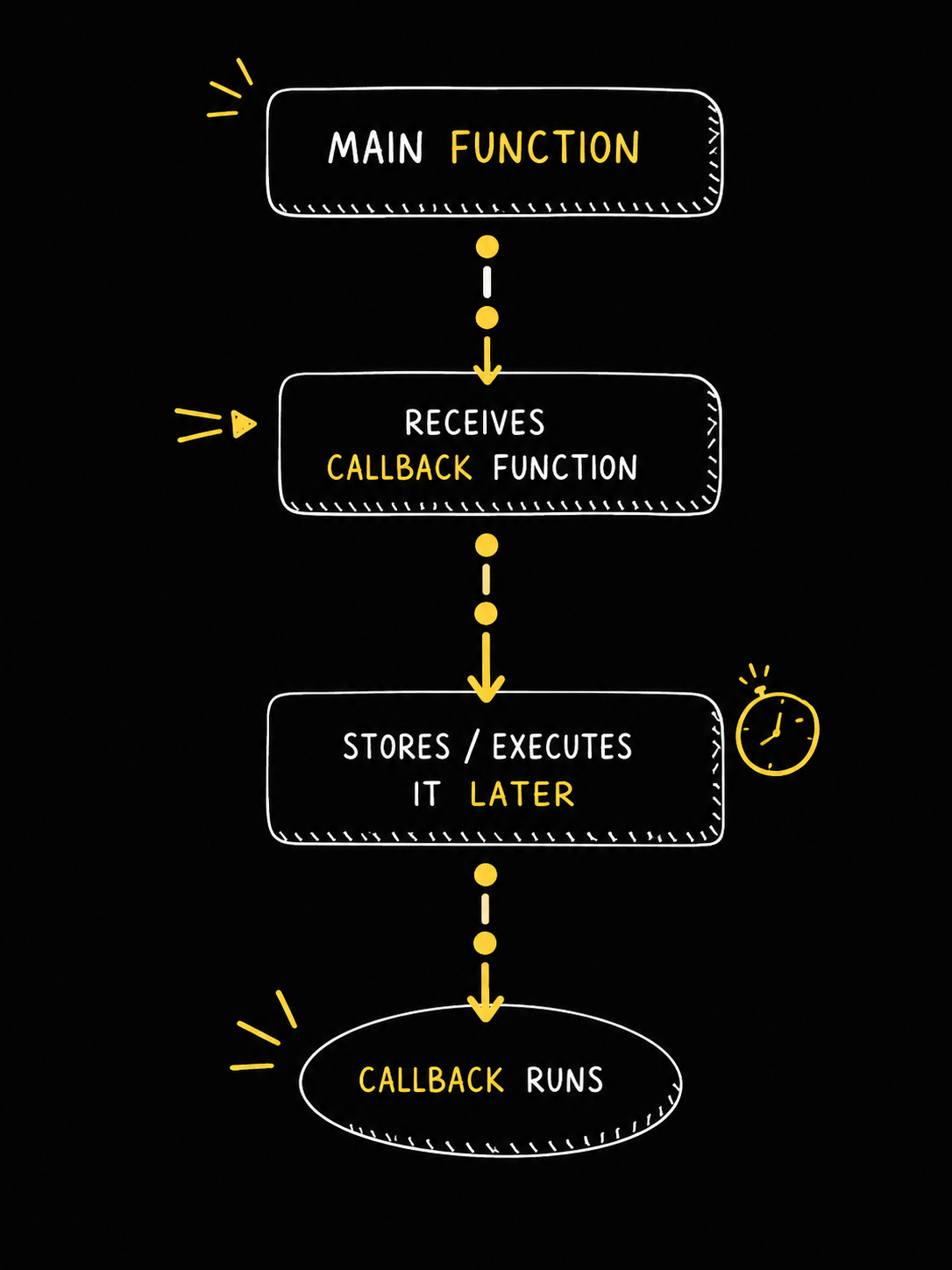
A callback function is simply a function passed into another function so that it can be executed later.
For example:
function greetUser(name, callback) {
    console.log(`Hello ${name}`);
    callback(name);
}

function sayBye(name) {
    console.log(`Goodbye ${name}!`);
}
greetUser("Batman", sayBye);
Output:
Hello Batman
Goodbye!
Now here many people make one mistake initially:
greetUser("Batman", sayBye(name));
This is very different from the previous code. Because now instead of passing the function, we are executing it instantly and then passing whatever value it returns. Which basically means:
sayBye()
runs immediately. Whereas:
sayBye
only passes the function itself without executing it [ Or we say that we pass the reference to that function ]. This subtle difference creates a major difference.
Passing functions as arguments
Now at first callbacks may feel unnecessary because in the previous examples, we could have simply written the code directly inside the function itself. But callbacks become useful once we want dynamic/custom behaviour. For example imagine we are building a payment system,
function processPayment(callback) {
    console.log("Processing Payment...");
    callback();
}
Now depending upon the situation we may want different things to happen after payment succeeds.
function showSuccessMessage() {
    console.log("Payment Successful");
}

function sendEmailReceipt() {
    console.log("Sending Receipt Email");
}
Now we can reuse the same function with different callbacks.
processPayment(showSuccessMessage);
processPayment(sendEmailReceipt);
Which basically means the main function does not need to know what exact task should happen afterwards. It simply executes whichever callback was provided to it. This makes the code much more flexible and reusable.
Why Callbacks?
Now callbacks become extremely important once asynchronous programming enters the picture. Because many operations in JavaScript naturally take time.
API Calls
Reading Files
Database Queries
Timers
User Events
Now JavaScript does not want the entire application to freeze while waiting for these operations to complete. Imagine clicking a button and the entire website becomes unresponsive just because some data is being fetched from a server somewhere else in the world. For example:
console.log("Start");

setTimeout(() => {
    console.log("Timer Finished");
}, 3000);

console.log("End");
Many expect the output to be:
Start
Timer Finished
End
But the actual output is:
Start
End
Timer Finished
This happens because setTimeout does not block the main thread. JavaScript registers the callback function and continues executing the remaining code immediately. Then after 3 seconds the callback is pushed back for execution. Which means this part:
() => {
    console.log("Timer Finished");
}
is the callback function. And the timer executes it later.
Common callback examples
One of the most common places where we unknowingly use callbacks is event listeners.
button.addEventListener("click", () => {
    console.log("Button Clicked");
});
Now the browser obviously does not know when the user will click the button. It may happen instantly, after 5 minutes or maybe never. So the browser stores the callback function and executes it whenever the click event happens. Callbacks are also heavily used inside array methods.
const numbers = [1, 2, 3, 4];

numbers.forEach((num) => {
    console.log(num);
});
Now internally forEach is basically executing the callback once for every element inside the array. Which roughly behaves something like:
callback(1);
callback(2);
callback(3);
callback(4);
So again we can see that another function is controlling when and how our callback gets executed.
Visualizing Callback Flow
Basic problem of nested callbacks
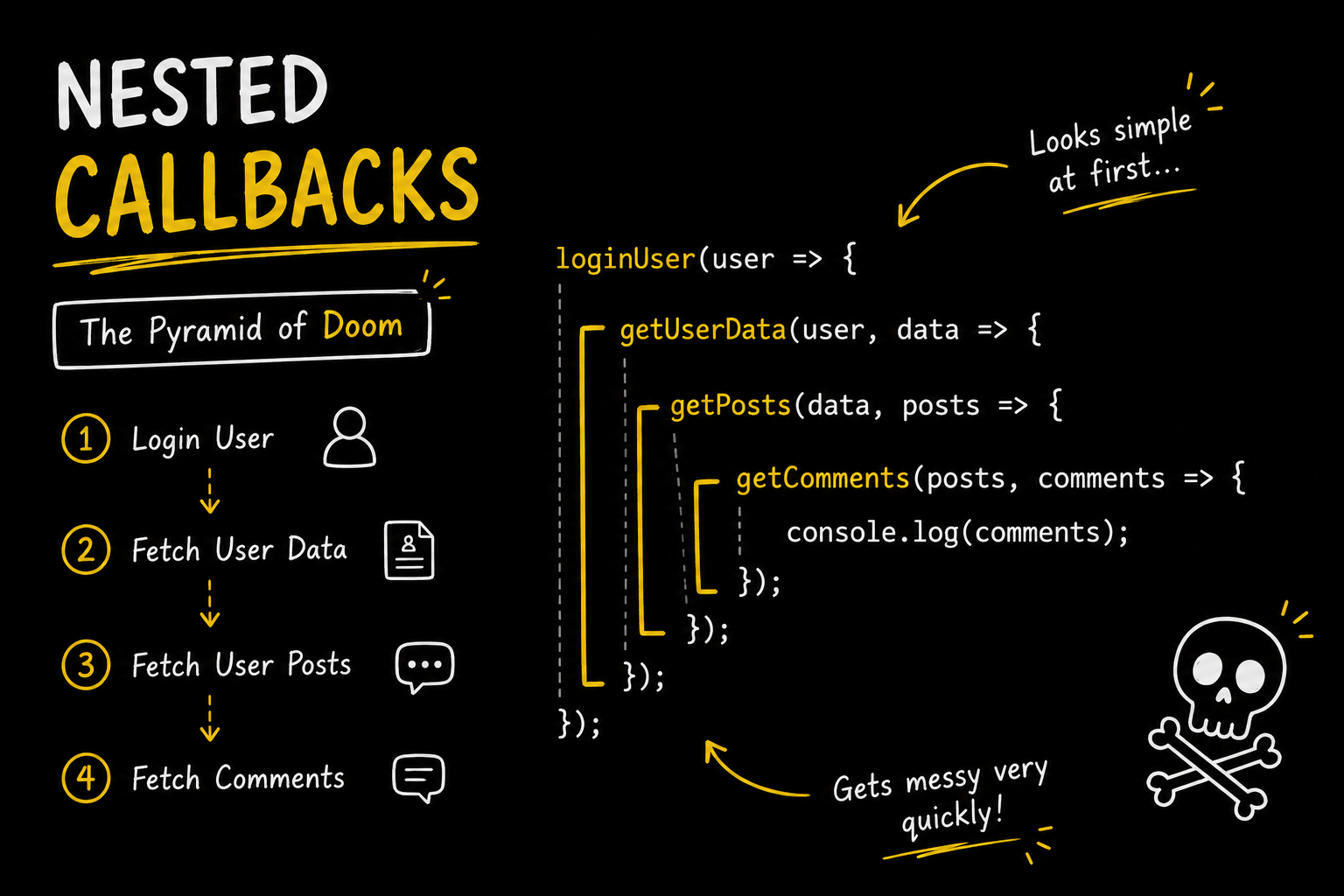
Now callbacks solved many problems in asynchronous JavaScript, but they also introduced a very famous issue called callback hell. Suppose we want to:
Login User
Fetch User Data
Fetch User Posts
Fetch Comments
Using callbacks this may start looking something like:
loginUser(user => {
    getUserData(user, data => {
        getPosts(data, posts => {
            getComments(posts, comments => {
                console.log(comments);
            });
        });
    });
});
Now even if you don't completely understand the code, one thing becomes obvious instantly. The code continuously starts drifting towards the right side and becomes harder to read/manage. This became so common that developers jokingly started calling it:
"Callback Hell"
or sometimes:
"The Pyramid of Doom"
Because debugging deeply nested asynchronous code becomes very frustrating very quickly. And the problem was not just indentation. Once applications became large, nested callbacks made error handling, debugging and maintainability much harder. Which is one of the major reasons why JavaScript later introduced promises and async/await to simplify asynchronous programming.
Conclusion
With this we now understand what callback functions actually are and why they exist in JavaScript. We saw that functions in JavaScript can behave like normal values, which allows us to pass them into other functions and execute them later. We also saw how callbacks become extremely important in asynchronous programming because JavaScript needs some way to know what code should run after a task finishes without blocking the main thread.
Although we did not dive very deeply into concepts like promises, event loops or async/await, we now know the basic idea behind callbacks and why they became such an important part of JavaScript. We also saw some of the problems callbacks introduced like callback hell, which later pushed JavaScript towards better abstractions for asynchronous programming.
I hope you enjoyed it!
Thank You.


